#linux

5094 posts · Last used 1h

Linux 7.3 is likely to be the next LTS kernel - OMG! Ubuntu

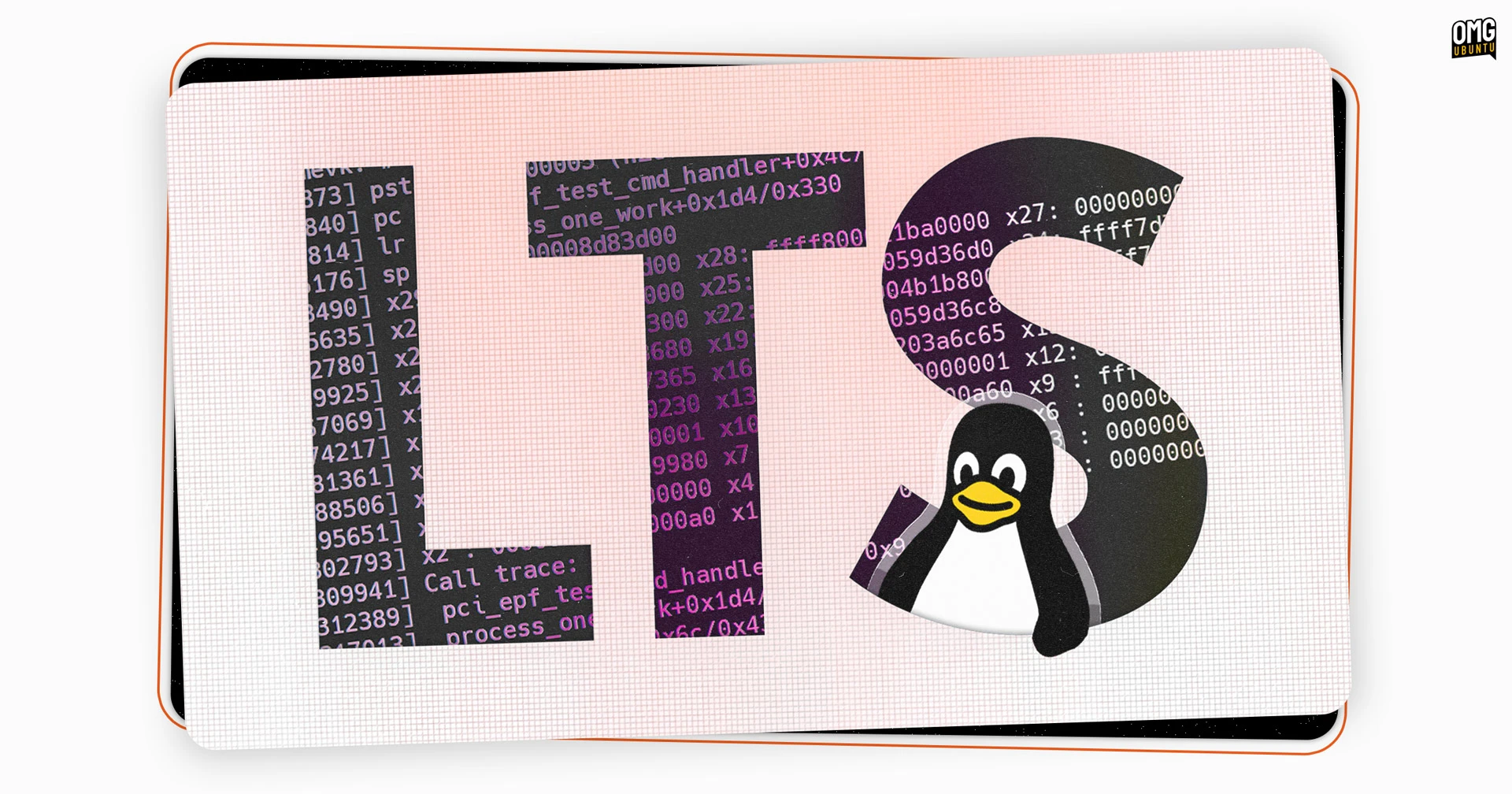
Linux 7.3 is looking like it’ll be the new long-term support (LTS) kernel.

Greg Kroah-Hartman, one of the kernels’ key maintainers, intimated this in early November in a reply on the Linux Kernel Mailing List, discussing the status of Linux 7.4 and when it’s likely to be released.

In a reply to Linus Torvalds, who’d noted people were expecting Linux 7.4 to be designated an LTS (since it’s shaping up to a big release and longterm kernels are picked, partly, based on being a feature-filled one) he said he planned for 7.3 to be LTS.

“If people are trying to force features into 7.4 just to make it an LTS, that is the best possible reason NOT to make it an LTS”, he said, noting that when this has happened in the past it has caused ‘a lot of trouble’ for maintainer.

Rather, he said, developers should “count on 7.3.y to be the next LTS” unless something comes along to scupper plans.

Not quite an inked rubber stamp of a decision, but firm enough to be the impression of one. LTS kernels get fixes for longer

Linux LTS kernels receive maintenance for a much longer duration than a standard stable release (at least 2 years) and receive backports of important bug and security fixes.

As Linux is used across businesses, industry and cloud, many opt for longterm versions for dependability. An LTS kernel’s support window can be extended beyond the initial 2 years if there’s demand (and help) for it from the wider community.

As of writing the kernel releases table doesn’t list v7.3 in the LTS table, but as there hasn’t been a point release since Kroah-Hartman’s message, it’s presumably why.

Linux 7.3 shipped in Ubuntu 26.10 and is back-ported to 26.04 later this year. Among its changes was better gaming on AMD GPUs with low VRAM, faster ext4 I/O and a reworking in how the kernel splits CPU time between groups of apps.

Linux 7.4(.0) is tentatively due on 27 December 2026.

0
1
0
0

Hi! Ich bin #neuhier!

(My posts will be mostly in German, some in English)
Auf meinem Profil findet ihr in Zukunft alles mögliche rund um Cyber Security, Linux und ähnliche Themen. Ich erstelle Infoposts, teile meine Meinung zu Themen und plane auch Kurzvideos zu machen.

Da ich meinen Content nicht nur auf Instagram & co. teilen möchte, findet ihr das in Zukunft auch hier!

#newhere #cybersecurity #itsicherheit #informatik #introduction #vorstellung #linux

0
0
1
0
Open source project maintainer? Need help writing docs? I have availability to take on work — entirely gratis. Send me on your project, and the best way to contact you/your community. Let's get it done. I'm a technical writer, prev: Red Hat, Daytona, ToDesktop, NodeSource, NearForm. I come from a background in CompSci/SWE. Boosts appreciated. #OpenSource #TechnicalWriting #FreeSoftware #Docs #Documentation #Linux
43
0
88
0
XNU Linux Lets macOS Userspace Processes Run On Linux XNU Linux is a new opens-source project allowing macOS user-space software to run on Linux by loading the macOS kernel into it. XNU Linux builds off Apple’s open-source XNU kernel components of macOS while adapted to serve as a loadable Linux kernel module. Besides this XNU kernel module, this works on an otherwise unmodified ARM64 Linux system. This XNU Linux effort allows for macOS processes to run natively alongside Linux processes without relying on any hypervisor: "xnulinux builds XNU, the open-source kernel of macOS, from Apple's published sources and runs it as a loadable kernel module (xnu.ko) inside an unmodified arm64 Linux kernel. The hosted XNU drives the CPU and MMU directly, so macOS processes run natively next to Linux processes on the same CPUs, with no hypervisor between them. Linux lends XNU its memory, timers, files, network and GPU through a small interface module (fki.ko). With a stock Ubuntu kernel, insmod xnu.ko boots a macOS 27 system disk made by Apple's own installer to the desktop: loginwindow, WindowServer, Dock, Finder, Safari and Chrome." XNU Linux relies on the open-source Apple kernel code of XNU. Getting any macOS binaries is left up to the user from their own macOS installations or otherwise. This XNU Linux also only is working on ARM64 Linux and not x86_64 Linux. The macOS 27 release is where all the user-space testing has been occurring. Those curious about XNU Linux can learn more via the project’s GitHub.
0
8
0
0
VKD3D 2.2 Released With More Improvements For Direct3D 12 On Vulkan Ahead of the Wine 12.0 release candidates expected to begin in December with the stable Wine 12.0 release then in early 2027, VKD3D 2.2 is now available for this Direct3D 12 on Vulkan API implementation. VKD3D 2.2 provides the latest improvements for implementing Microsoft’s D3D12 interfaces on Vulkan so that modern Windows games/applications can run and perform well on Wine. VKD3D 2.2 now supports up to Shader Model version 6.2, support for making use of the Vulkan shader float controls extension, various HLSL shader handling improvements, VKD3D compiler enhancements, and various other fixes. VKD3D 2.2 is available for download from WineHQ.org. VKD3D 2.2 in turn should be incorporated into the Wine codebase ahead of the upcoming Wine 12.0 milestone.
0
1
0
0
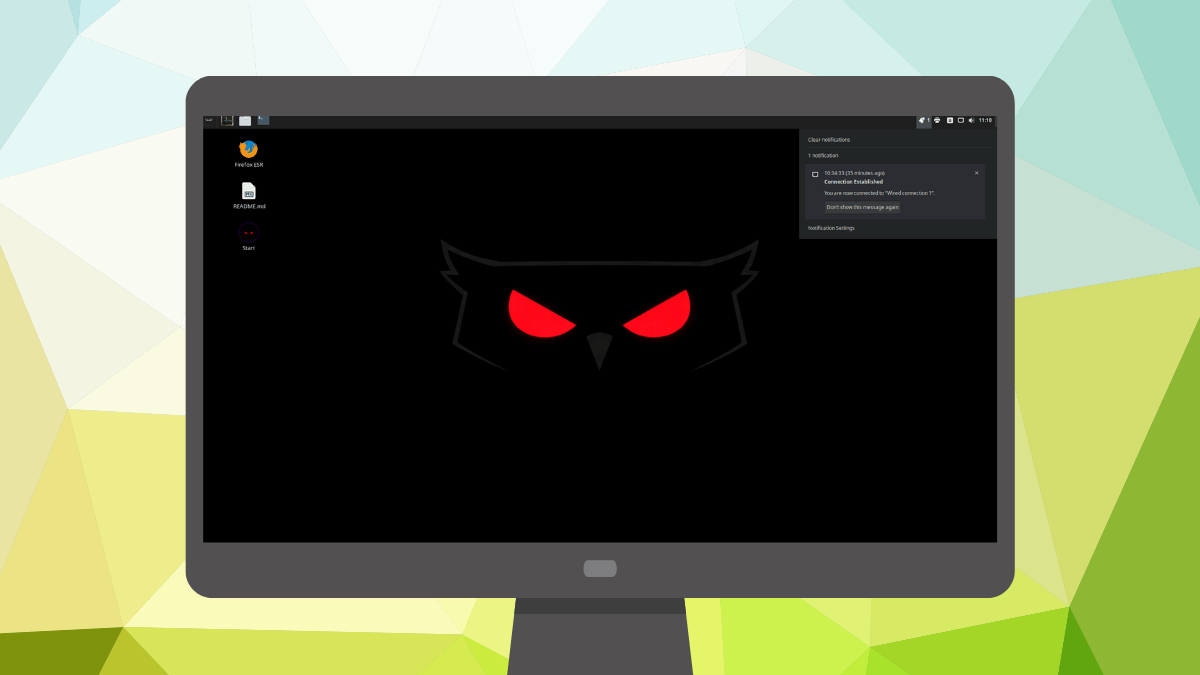
Owl OS is a New Kali Linux Competitor Penetration testing, where a security professional probes a system for weaknesses before an attacker finds them, has become a routine part of defending anything that runs online. There are several security-focused Linux distributions, such as Kali Linux, Parrot, and Athena OS, and each of them ships with a ready-made set of security tools. Now another one is looking to join that list. The creator of Owl OS reached out to us about its 1.0 release, codenamed “Athena,” and I tried it out in a virtual machine. This distro is not open source, or for everyday use. Some of the claims from the project haven’t been verified. Owl OS: Overview Owl OS is a Debian 12-based distro that pairs the Cinnamon desktop with a large set of tools for pentesting, forensics, and defensive security work. I don’t understand why the dev did not go with the more recent version of Debian 13. The project says it wrote more than 275 of the included tools itself and added over 100 well-known ones from external sources, with the same toolkit being available to Debian and Ubuntu systems through an Owl apt repository. Owl OS is the work of Khaled S. Haddad, a developer out of Jordan who says that the tools took about three years to write by hand and that AI helped with parts of the documentation (a work-in-progress). But there’s a catch. The README included in the ISO describes Owl OS as proprietary software with all rights reserved. It bars copying, distribution, modification, and reverse engineering without written permission. A brief test I tested Owl OS in a virtual machine with 4 GB of RAM and 40 GB of storage, using the Live System/Security Core/AMD64 ISO. Installation happens via the familiar Calamares installer, taking you through the usual timezone, keyboard layout, storage, and user steps before finishing. Once installed, you will boot into a neat Cinnamon desktop with a cool-looking Owl OS-branded wallpaper and a few desktop shortcuts for Firefox ESR, the README file, and the optional Tor-based hidden mode feature. Moving around was quite simple too, with app windows and menus opening quickly without any glitches. I even checked how much memory Owl OS was consuming at idle using System Monitor, and the results ranged from 1.2 to 1.3 GB without any additional apps running. The tool library is huge. The launcher sorts it into categories like Exploit, Forensics, Network, Passwords, Web, and Wireless, with options like the Burp Suite, Ghidra, Hashcat, Metasploit Framework, Wireshark, and the Aircrack-ng suite being included. The project’s own collection uses names that start with an O, like OBeacon, OAttack, OChronyX, OCipher, and more. I would have tested the pentest tools if I had the skills to do so, but alas, that is not my cup of tea. I leave it to the cybersecurity professionals in the house to gauge whether Owl OS is worth installing. Download it Owl OS comes in three editions. Security Core is available now for x86_64 (AMD64) systems, while Security Advanced and Security Elite are marked as coming soon on the official website. Owl OS There’s an active thread on our It’s FOSS Community forum if you would like to join other FOSSers in the conversation. And if you are interested, we have a few hands-on beginner friendly pen-testing lab exercises on Linux Handbook.
0
7
0
0
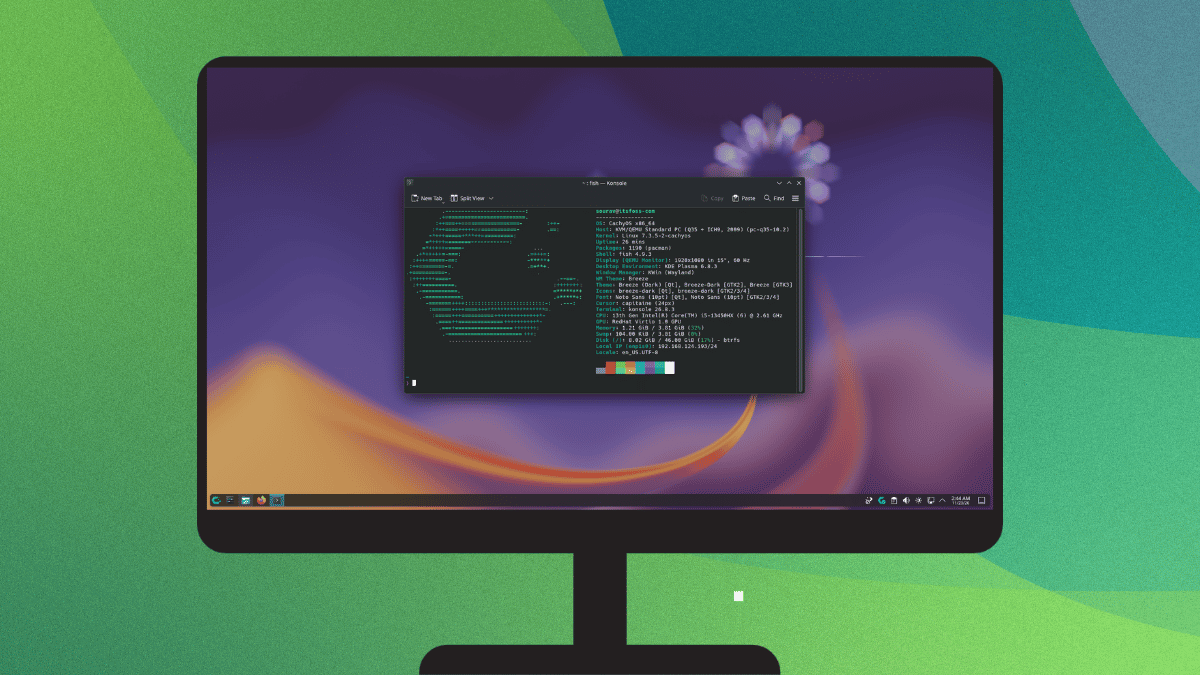
CachyOS Just Made One of Linux’s Biggest Gaming Problems Way Easier CachyOS is a distro pick that suits both power users and gamers alike. The installer offers 17+ desktop environments to pick from, and gamers get a Handheld Edition for devices like the Steam Deck and ROG Ally. Based on Arch Linux, it ships its own kernel and package builds for specific CPUs, while the installer comes as a GUI or a command-line version. CachyOS has now put out its sixth release of the year, and this one changes how the system boots, recovers, and installs software. The November Release CachyOS now has a dedicated kernel for games that use Epic’s Easy Anti-Cheat (EAC) Linux v2. EAC checks the boot chain before it lets a game run, and the new linux-cachyos-eac kernel is signed with the CachyOS key. Don’t worry, it gets a dedicated boot entry, while your regular ones stay untouched, with the eac-setup script handling the bootloader configuration. Because DKMS modules don’t load on this kernel, NVIDIA, ZFS and r8125 come as prebuilt packages for it. Then there’s cachyos-recovery, a rescue image that lives on the EFI partition and can be launched from the bootloader menu or directly from UEFI without a live USB. From its menu, you can boot any Btrfs snapshot with a writable root to check it first and roll back once you’re happy with it. The rollback also runs from a desktop notification. It works without Snapper and supports LUKS-encrypted disks. The package is cachyos-recovery, with a cachyos-recovery-legacy variant specifically for BIOS machines. Similarly, Package Installer, the software manager, reaches v2.0 with a new UI. It can now handle AUR, Flatpak and AppImage packages, and each one is opt-in. Before an AUR build runs, you can read the PKGBUILD and install scripts, and a static analysis step highlights what deserves a closer look. Updates come with a diff against the installed version. CachyOS Settings, the package holding CachyOS’s tuning configs, brings backsystemd-oomd, the out-of-memory killer, and enables it by default. It steps in based on swap usage and skips the user session. The new cachyos-drm-awaiter helper replaces early KMS and the nvidia-module-loader. Early KMS used to initialize the graphics driver during the boot process, allowing CachyOS to switch to the display’s native resolution much earlier. Now, the helper holds the login screen back until the graphics driver has loaded, and that applies to any driver rather than only NVIDIA’s. If loading fails, a QR code shows up on screen. chwd, the hardware detection tool, drops early KMS to match, and existing users need to run sudo sudo chwd -a -f after updating to apply the change. Calamares (the GUI installer) uses the CLI installer’s gucc library for the initramfs, machine-id, and post-install steps, and the rest is being moved over step by step. The CLI installer itself was refactored onto the same library. Plymouth, the boot splash, is now optional, and the rEFInd + AI SDK bootloader option is gone. CachyOS can also run on the Windows Subsystem for Linux now through a new image. And finally, the kernel moves to Linux 7.3.5, with NVIDIA 620.73.04 and Mesa 26.3.1 also being included. The full changelog is available in the release blog post. Download CachyOS The Desktop Edition ISOs have been updated to reflect the changes in this new release. If you are looking to try it for the first time, then this is the pick for you. Existing users can upgrade to this release by running the following command: sudo pacman -Syu
0
31
0
0
Download links for Pop!_OS 26.04 LTS (links in body) The distro is only officially out for their Thelio AI Workstations but I am running it on ASUS PX13 and Lenovo X1 laptops. Links below are official and direct from System_76. Generic: iso.pop-os.org/26.04/amd64/generic/6/pop-os_26.04_amd64_generic_6.iso Nvidia: iso.pop-os.org/26.04/amd64/nvidia/6/pop-os_26.04_amd64_nvidia_6.iso
0
0
0
0
Butterknife 0.4: One Debian Installer, 13 Desktops Hi All, Butterknife 0.4 is out. It’s the terminal installer half of Butterbian: Debian 13.8 on btrfs with Timeshift snapshots, and now the desktop is picked inside the installer. Choose any of 13 window manager setups (or several, or none), a login screen and a shell config, and everything is decided before the install starts. This one ships alongside Butterbian XFCE 0.6. butterbian | butterknife | 13 setups butterbian.org What’s covered: the installer from network to the Desktop step, a mangobutter + i3 install with SDDM and ButterZsh, mangobutter’s settings panel (keybinds, layouts, bar, wallpapers, displays) and setup-update, buttertools, Butterdish and butterrepo, then a quick look at every setup: buttersway, sway-classic, mango-classic, butterbox, i3, oxwm, qtile, butterdwm, dwm-suckless, butter bspwm and awesome. Release notes: justaguy.dev/drew/butterknife… Questions: butterforge.org/t/butterbian-… Wiki: justaguy.dev/drew/butterknife… The 13 setups (all at justaguy.dev/butter): Wayland mangobutter: justaguy.dev/butter/mango mango-classic: justaguy.dev/butter/mango-cla… buttersway: justaguy.dev/butter/sway sway-classic: justaguy.dev/butter/sway-classic X11 butterbox: justaguy.dev/butter/openbox openbox-classic: justaguy.dev/butter/openbox-c… butterdwm: justaguy.dev/butter/dwm dwm-suckless: justaguy.dev/butter/dwm-suckless butter bspwm: justaguy.dev/butter/bspwm i3: justaguy.dev/butter/i3 awesome: justaguy.dev/butter/awesome oxwm: justaguy.dev/butter/oxwm qtile: justaguy.dev/butter/qtile The butter tools in this video: buttertools (all the projects in one window): justaguy.dev/drew/buttertools Butterdish (software center): justaguy.dev/drew/butterdish butterrepo (APT repo): justaguy.dev/drew/butterrepo ButterBash (shell config): justaguy.dev/drew/butterbash Butterbian XFCE (the full desktop ISO): justaguy.dev/drew/Butterbian-… Tested on Debian trixie only. NVIDIA untested. Credits: Debian, Timeshift by Tony George and the Linux Mint team, mango by DreamMaoMao, oxwm by tonybanters, quickshell by outfoxxed, sway, i3, bspwm, qtile, awesome, Openbox and suckless dwm by their developers, Orchis and Colloid themes by vinceliuice. Butterknife is an installer on top of their work.
Open on YouTube

Butterknife 0.4: One Debian Installer, 13 Desktops

0
4
0
0
Am Samstag, 21.11., ist Linux-Presentation-Day im Computer Club Worms! 🐧 Ich halte einen Vortrag über Datenschutz, es gibt aber noch einiges mehr zu sehen und zu hören. Kommt vorbei, es gibt Kuchen! 🍰 📅 Sa, 21.11.2026, 14–18 Uhr 📍 Vereinskeller, Adam-Riese-Straße 2, Worms-Leiselheim #Linux #LinuxPresentationDay #LPD #Worms #Datenschutz #OpenSource #FOSS
9
0
7
0
I just had a lovely conversation with the hosts of @europeanspodcast@mastodon.social about "breaking up with Big Tech". Thanks to all the Fedi friends who recommended me to the podcast ❤️ I gave shout outs to @cyberlyra@hachyderm.io 's https://optoutproject.net @Vivaldi@social.vivaldi.net and https://european-alternatives.eu Plus https://ghost.org as an alternative to Substack. I wish I'd been more eloquent but my child woke me up at 4:30am 😅 Now grabbing my 4th cup of espresso Edited to add: @GrapheneOS@grapheneos.social and #Linux got some love too!
149
14
84
0
Building TheGitAI, a coding agent with a CLI and a desktop app for Linux, macOS and Windows. It uses the real apps on your computer too: Linux (Wayland and X11), macOS and Windows 11. On Linux and macOS it can work on a separate background screen while you keep your own mouse and keyboard. Wayland was the hard part. It also works in the Chrome you already use. Here for Linux internals, dev tools and hearing what breaks. #introduction #introductions #Linux #Wayland #macOS #Windows #DevTools
0
0
1
0
Is cachy os a privacy respecting operating system? From what I know about Linux distros, most of them are privacy respecting as a rule, and usually put that as a statement on the front page of their official website, however cachy os doesn’t have this expressed directly on their website. Maybe I am just paranoid, but I would like to have some assurance that cachy os is not going to steal my data or has a privacy flaw.
0
24
0
0